
India’s Leading Lens Optical Billing, Inventory & Accounting Software
Manage Lens & Optical Store Operations with Smart POS Technology
Streamline your lens retail business with TechCherry Lens Optical Software — manage sales, lens stock, customer records, billing, and accounting all in one system. Access your data anytime on Windows, Web, Android, or iOS.
Advanced Features of Lens Management Software
1 LENS POWER CREATION
2 CREATE ORDER/CHALLAN/BILL
3 REPORTS (Pcs/Pair/Eye Wise)
4 Barcode
5 Authenticity Cards/Shipping Lable
6 Integrated with Ordering App
7 Manage RX Order
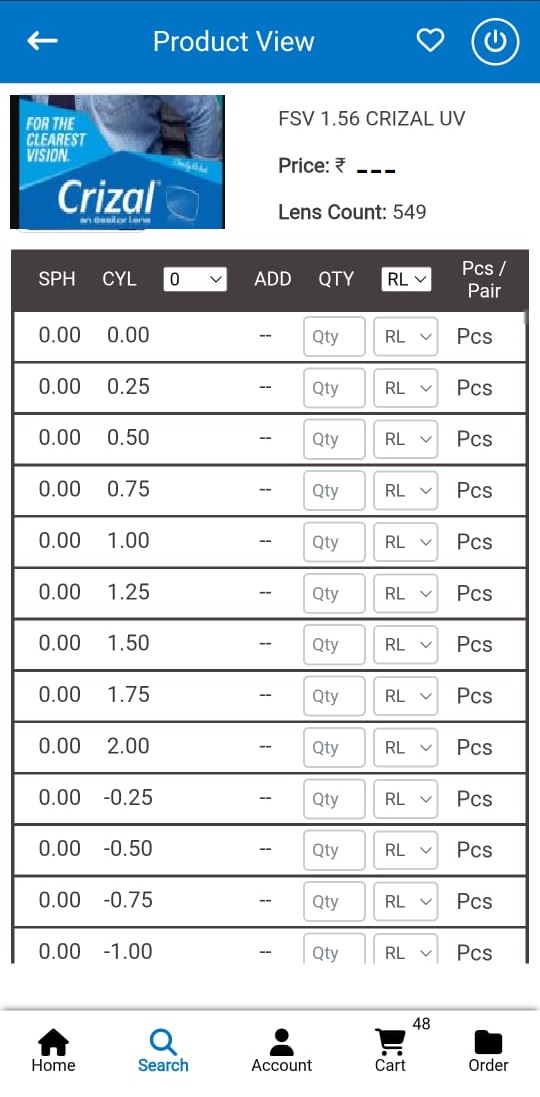
Create, Customize and Print Prescription/ non PrescriptionBased GST or Non-GST Bills
Add Custom fields such as Payment QR code, multiple payment mode etc
- Choose your own invoice formats
- Print according to your needs
- Regular printer supported (A4 & A5)
- Thermal Printer supported (2 inch & 3 inch)
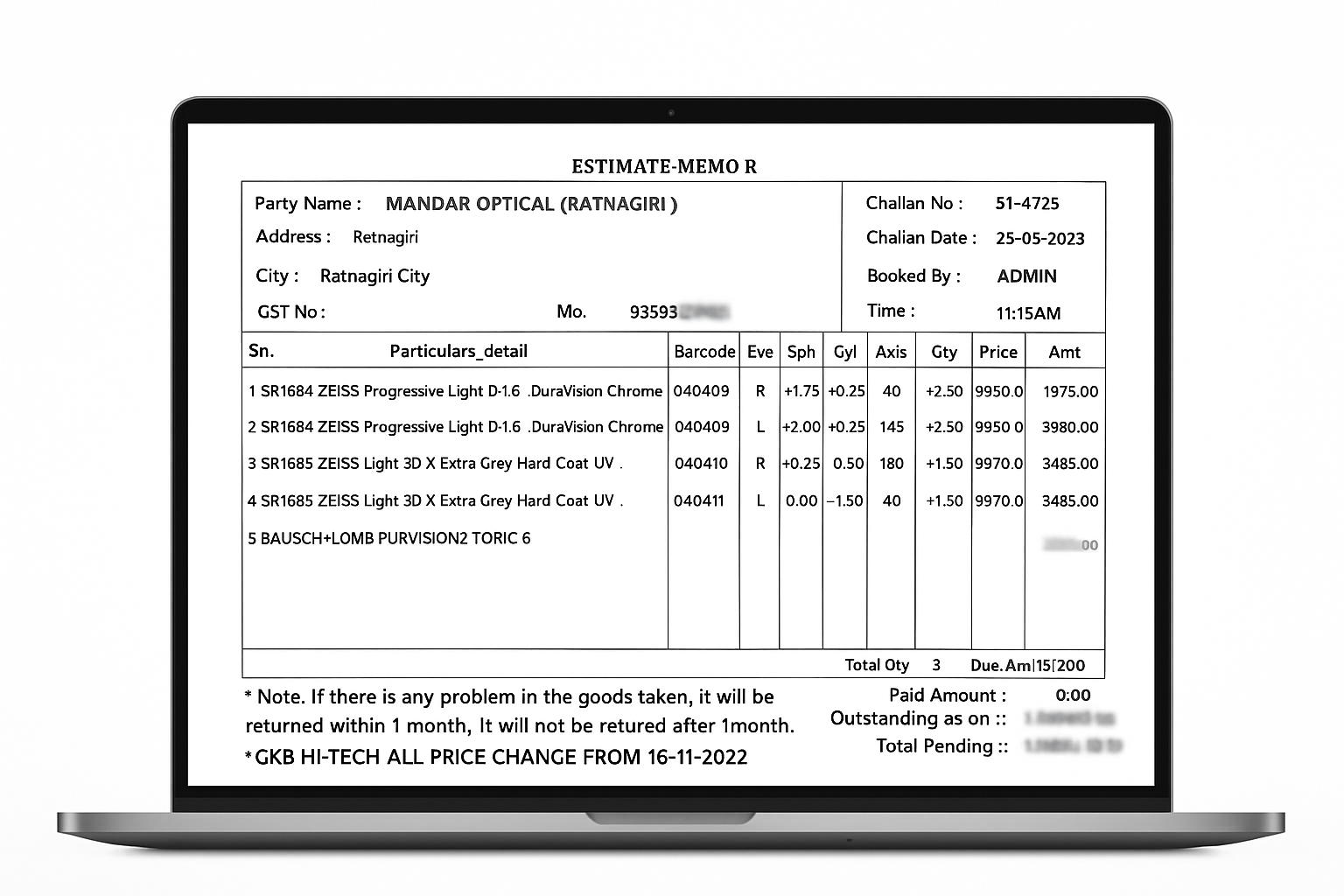
Lens Wholesale Software
Our Lens Wholesale Management Software is a complete digital platform designed for lens manufacturers, distributors, and wholesalers. It simplifies every step — from lens power creation to order processing, billing, and reporting — making your wholesale operations faster, accurate, and fully automated.
Simplified 5-Step Lens Optiacl Workflow
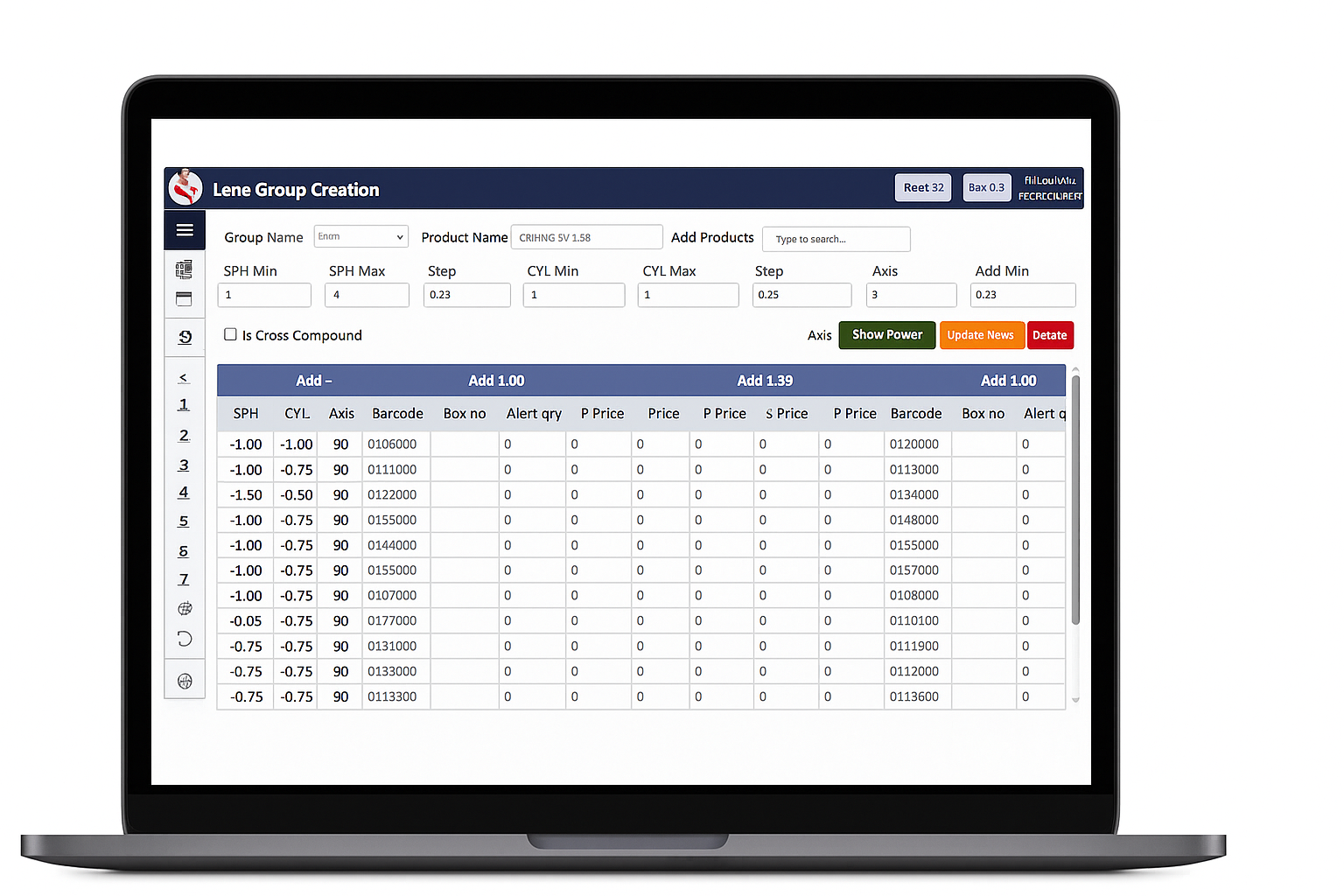
Lens Creation
- Create single or multiple lens powers in one click.
- Support for multiple axis and addition for progressive lenses.
- Save and reuse combinations for faster creation.
- Works for Single Vision, Bifocal, and Progressive lenses.
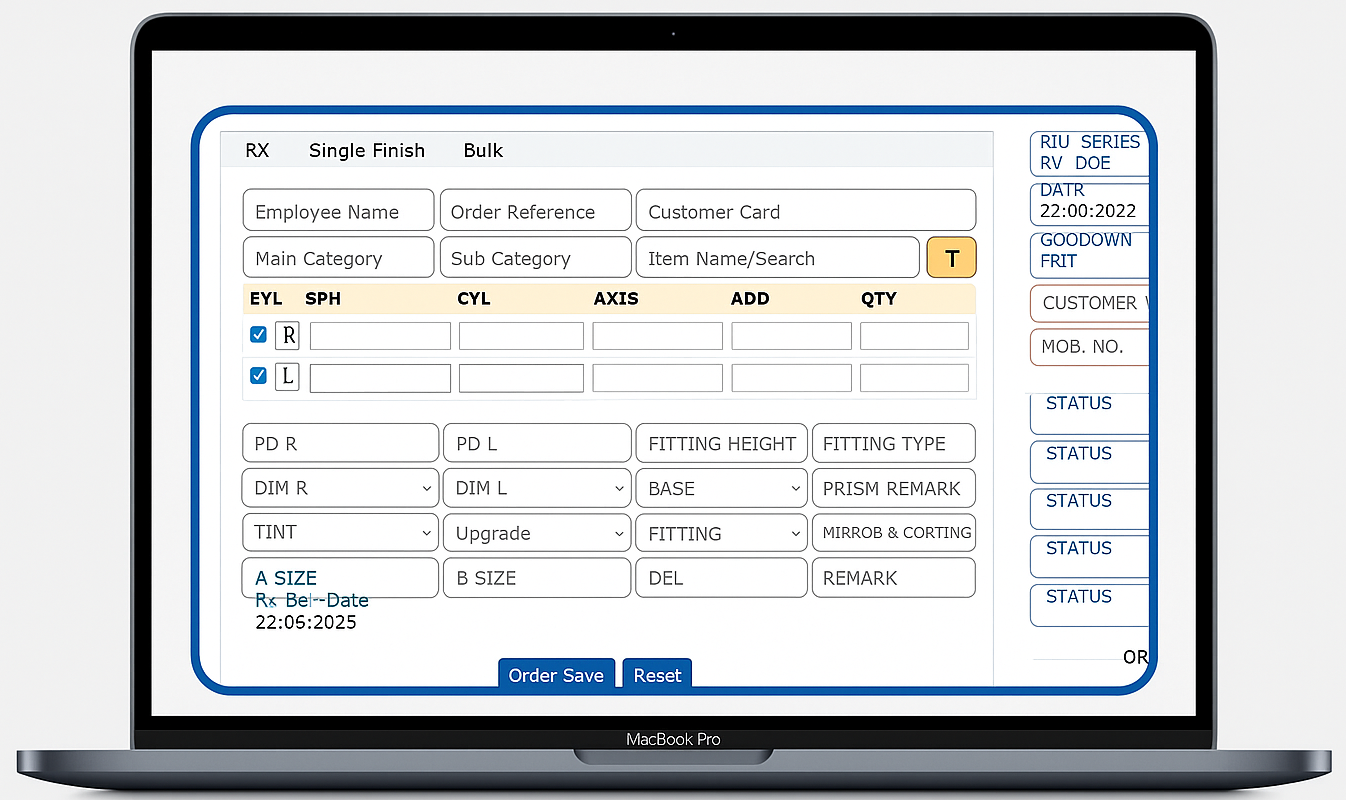
Rx / Ready Order Creation
- Create Rx (custom) or Ready (stock) orders easily.
- Bulk order entry through Excel grid.
- Accept orders directly via mobile app.
- Search by power, material, coating, or brand.
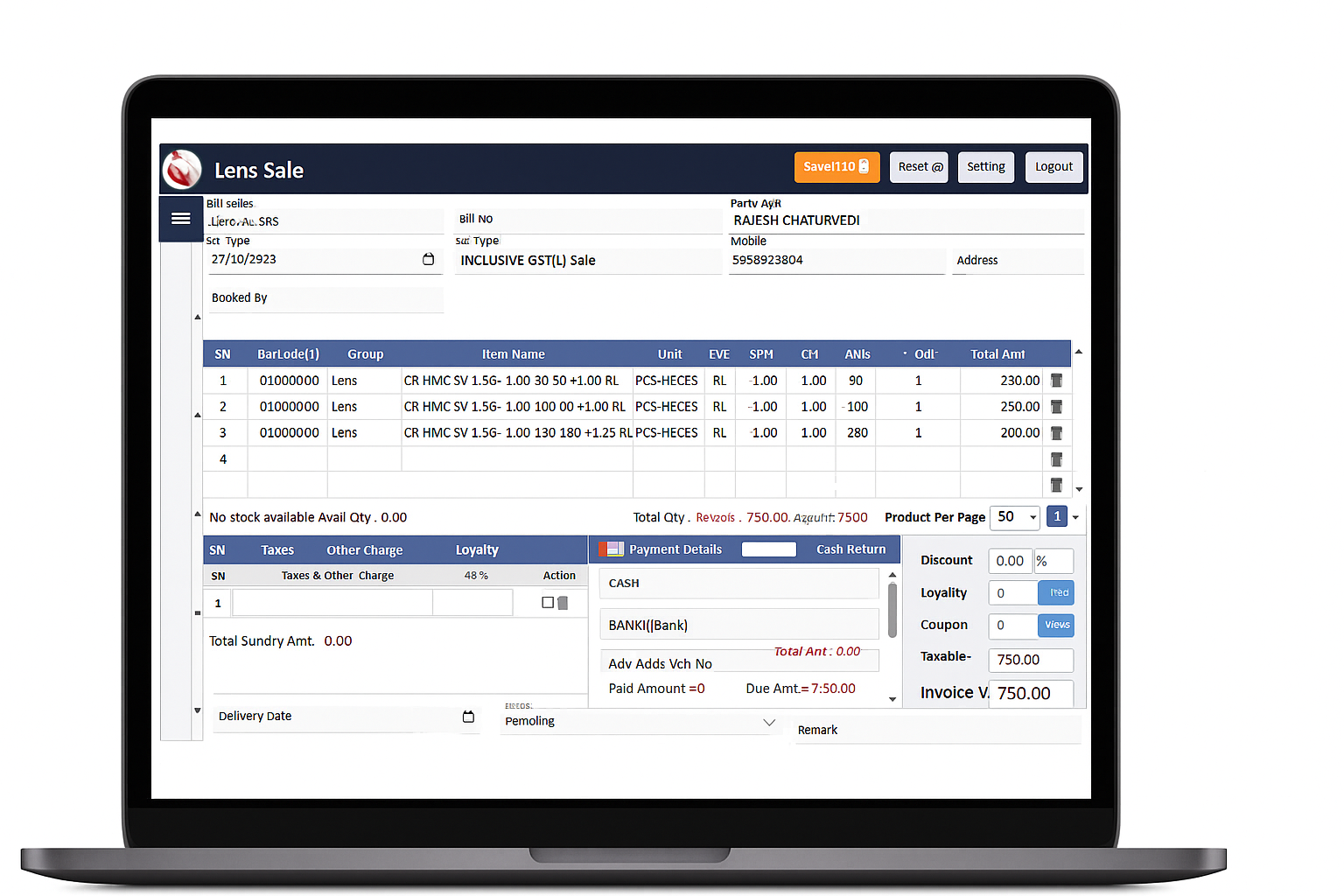
Create Sale
- Generate invoices or convert orders/challans easily.
- Manage pricing by customer or product group.
- Set credit limits and track payments automatically.
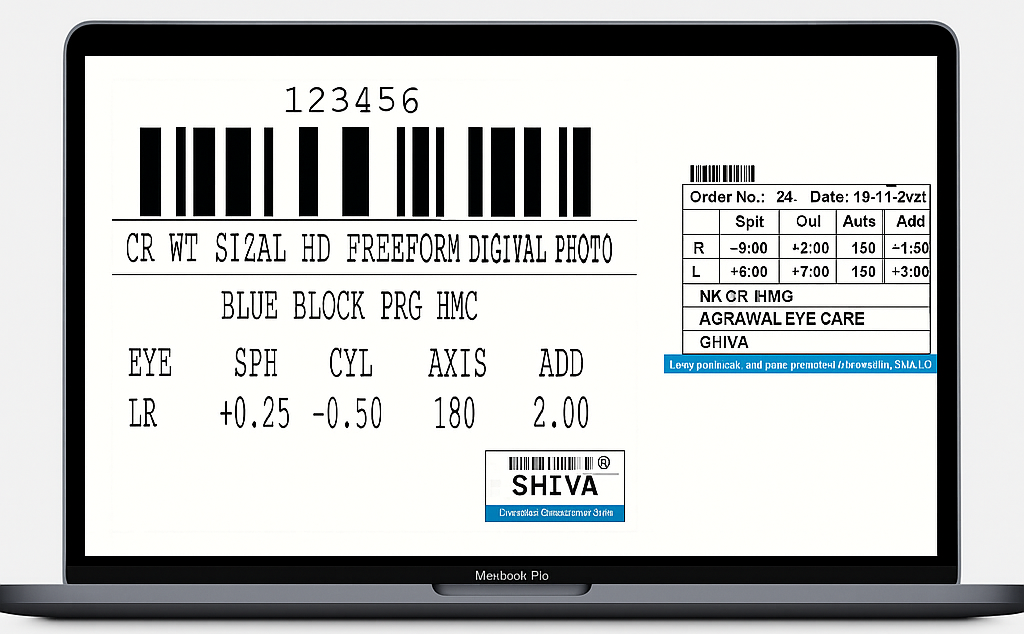
- Print Authenticity Cards, Barcode Labels, and Bills.
- Fully customizable print layouts.
- Batch or individual printing options.
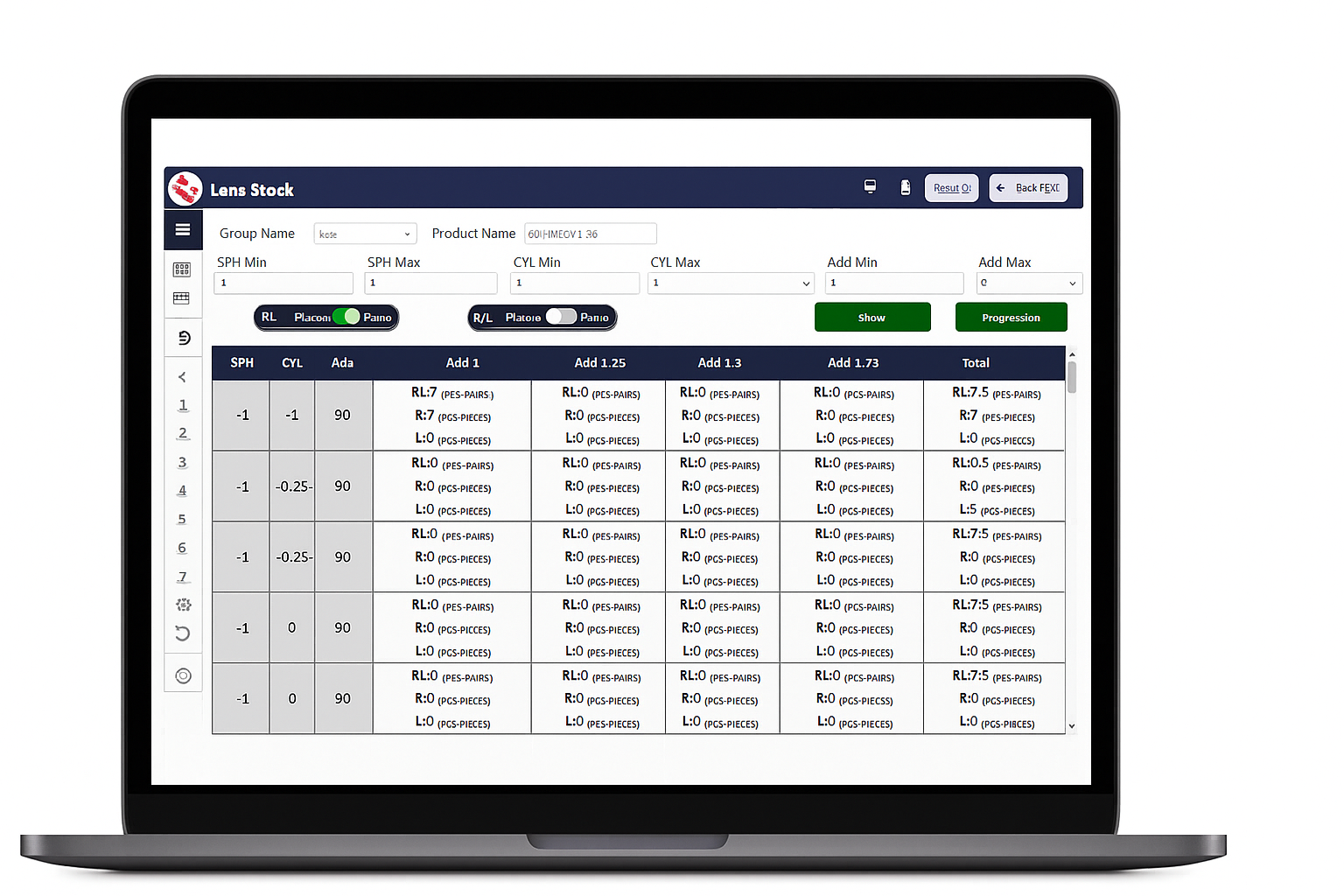
Reports
- Comprehensive stock and sales reporting.
- Check Single Vision, Bifocal & Progressive stock.
- Track movement by party, power, or date.
Advanced Modules in Lens Optical Software & Wholesale Management System
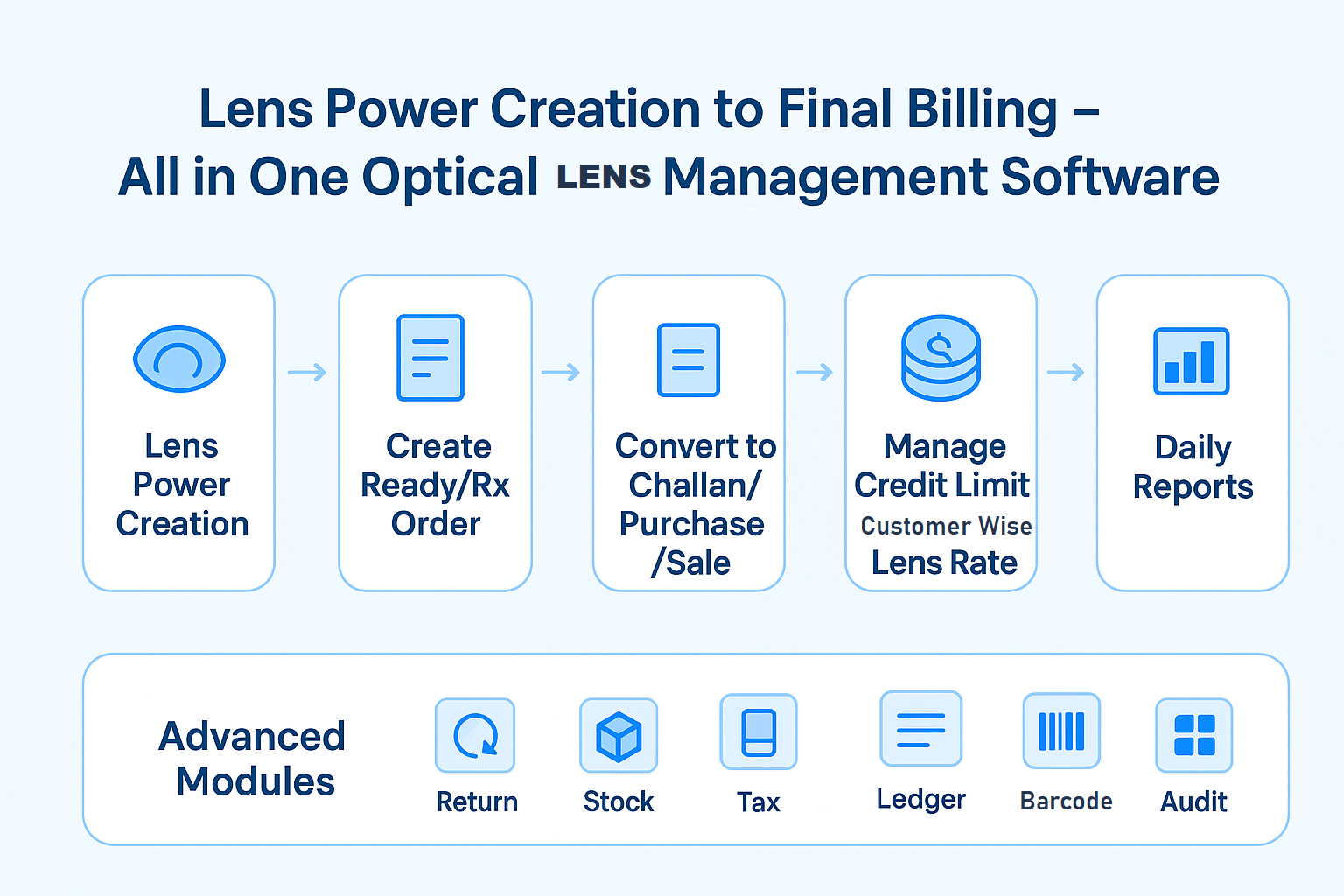
Stock Purchase with Barcode
Record purchases and auto-generate barcodes for stock accuracy.
Lens Movement (Party / Power Wise)
Track dispatches and returns with live inventory updates.
Stock Audit
Barcode-based stock audit to verify physical vs system data.
Salesman Commission
Auto-calculate and track salesperson incentives.
GST / VAT Tax Report
Generate GST input/output reports for easy filing.
Cashbook / Daybook
Monitor cash and bank transactions daily.
Outstanding / Ledger
View all party-wise balances and payment history.
Who is it For
- Make invoices with the counter system on Desktop/ android/ iOS app
- Digitise all day-to-day business transactions
- Track & manage business inventory accurately
- Take thermal printouts
- Create lens power in one click
- Manage Rx order
- Take Rx/Ready order from app
- Create Customer category and prices as per category
- Set credit limit and credit days
- Manage customer outstandings& send payment reminders
- Share invoices via SMS and WhatsApp
- Manage inventory better with low stock alerts & categories
- See all the information about a patient from every time they came to the clinic in one place.
- Easily see how a patient's eyesight has changed over time. You can see how their vision tests have gone and how their glasses prescriptions have been adjusted.
- Easily see a patient's past diagnoses, test results, and any orders placed, all in one place. You can also view clear and high-quality images related to their care.
- Keep track of the medicines they were given before, how often they took them, and how they took them
- Easily see all the past problems the patient reported, their overall health history, and the results of past eye checkups.
- Barcode/QR / SMS/ E-Mail / WhatsApp/ RFID integration
- Ophthalmologist
- Optometrist
- Opticians
- Solo Practitioners
Frequently Asked Questions
- A: myopticalapp is an optical’s billing and stock management application. It can be used to mange stock, customer details, patient prescription details, lens prescription and invoicing. It is also available for desktop and web based application
- A: You can download myopticalapp android app directly from google play store. Download and install it, then get registered into it by your Email ID and Mobile number. OR you can get register through www.myopticalapp.com and start using myopticalapp in desktop as well, To use other applications of myopticalapp you can send enquiry on contact@techcherry.in .
- A: myopticalapp is designed especially for Optical business but it can be used for other business like retail, cloth merchants, restaurants, hardware, grocery store, electronic store, bakeries etc. billing and inventory management purpose as well.
- A: myopticalapp App is available with reference videos in both Hindi and English language. In each form you have the option of INFO / Question mark symbol, just click on it and you will get the reference video for the particular form how to use it.
- A: A: Yes, we have myopticalapp for online web based application and for offline desktop based application as well. These two applications also have complete features of myopticalapp into them.
- A: You can restore your data backup into myopticalapp. For that you must have kept backup safely with you either in pen drive or in your drive. It is very easy to take backup of your data from myopticalapp app or Software.
- A: Yes, the data is completely safe and secure as we are not sharing your data anywhere or with any third party. You can keep backup of your data with you in your own drive or any external devices.
- A: Currently, myopticalapp is available in multiple versions, it depends on your choice which version is convenient to you. Please call @ 9039024002/4 for further details.
Experience Our Lens Optical Store Software in Action
Watch how TechCherry Lens Optical Software streamlines your optical store operations — from billing and inventory to lens sales, customer records, and reports — all in one smart, easy-to-use platform.